Settings
Team & permissions
Invite members, assign roles, manage permission groups, and track seats.
Updated May 27, 2026
Team settings is where you manage who is in the workspace and what they can do.
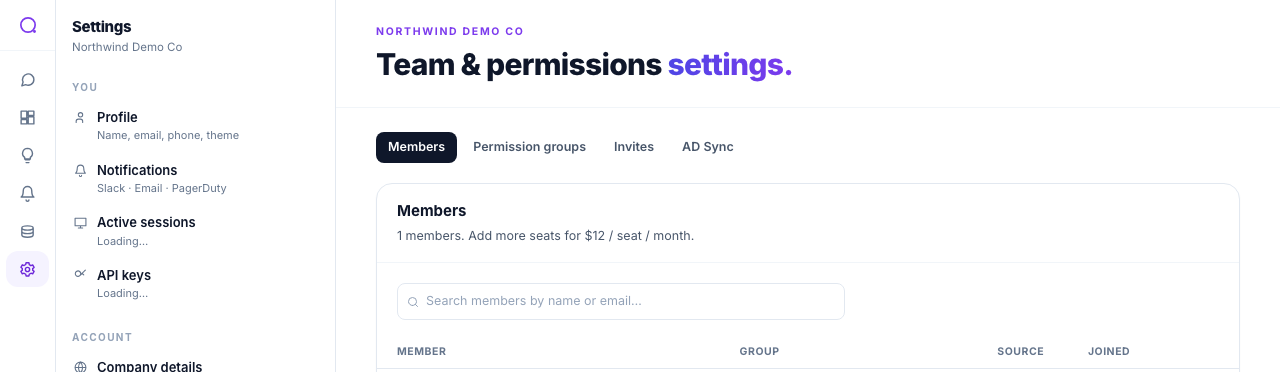
Tabs
- Members
Invite by email, search and filter members, and assign a role or custom permission group. Remove members you no longer need.
- Permission groups
Use the preset roles or create custom groups with granular permissions. System groups are read-only.
- Invites
Track pending invitations, and resend or revoke them.
- AD Sync
Provision members automatically via SCIM on enterprise plans. See SCIM.
Roles and seats
- Admin: full workspace access including members, data sources, security, and billing visibility.
- Member: query data, build dashboards and alerts, and view shared resources.
- A seat usage bar shows used versus included seats. Adding beyond included seats may require expanding your plan.
What's next
For the full access model, see Permission groups & sharing.