Notifications settings
Connect channels and choose which events reach you where.
Notification settings control your channels (Slack, email, PagerDuty, webhooks) and which events go to each.
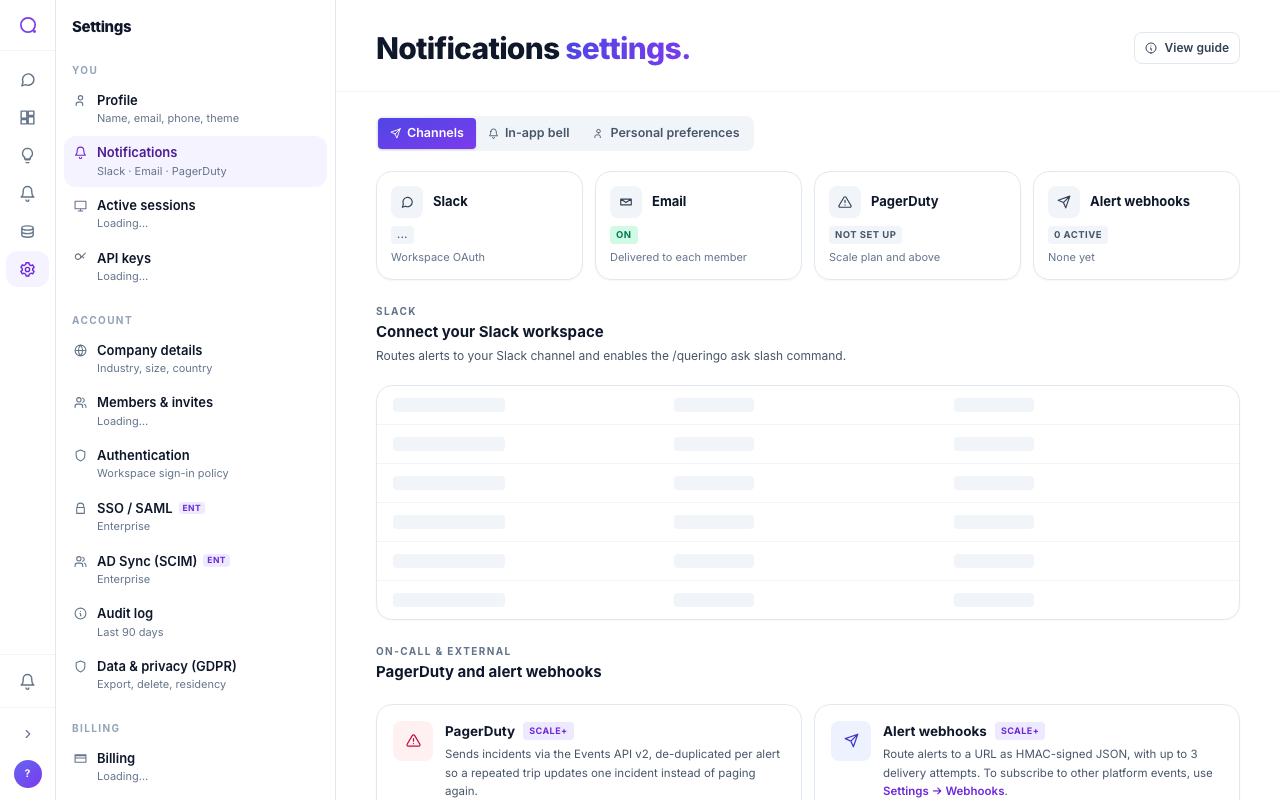
Tabs
- Channels
Connect Slack and route to channels, set the email destination with optional daily digest or weekly summary, add PagerDuty (higher plans), and add HMAC-signed webhooks.
- Routing
Workspace-level switches that decide which event kinds fan out to Slack, PagerDuty, and webhooks. Read more in Workspace routing below.
- In-app bell
Toggle which event types show in the in-app inbox: alerts tripped or resolved, insights surfaced, shares, mentions, and billing.
- Personal preferences
A matrix of events against the channels we deliver per-recipient (in-app bell + your personal email), so you control where each event lands for yourself without changing what teammates see.
Workspace routing
The Routing tab is a workspace-wide switchboard for the team destinations: Slack, PagerDuty, and webhooks. The matrix has one row per supported event and one column per channel kind your workspace has connected (or could connect on its plan).
A switch off here is a veto: even if an alert has Slack ticked in its own channel list, no message is sent when the workspace has switched "Alert tripped → Slack" off. A switch on is the default for events the workspace receives by code today.
What's in the matrix
| Event | Slack | PagerDuty | Webhooks |
|---|---|---|---|
| Alert tripped | On | On | On |
| Alert resolved | On | N/A | On |
| Insight surfaced | On | Off | Off |
| Plan upgrade requested | On | Off | Off |
PagerDuty resolves incidents through its own de-duplication API, so a separate "resolved" message isn't sent, so the cell is locked. Webhooks default to alerts only; to subscribe a webhook to other platform events, use Settings → Webhooks.
What's not in the matrix
Personal events ("Shared with me" when someone shared a dashboard / alert / conversation with you, and billing events like payment failed or top-up succeeded) never fan out to workspace channels and so don't appear here. They go to the in-app bell and to the recipient's personal email per their preferences.
PagerDuty and webhooks columns only appear on Scale and above. Slack is available on every plan.
What's next
Create personal API tokens in API keys.