Features
Notification channels
Send alerts and shares to Slack, email, PagerDuty, or webhooks.
Updated May 27, 2026
Channels decide where notifications go. You connect them once, then route alerts and other events to them.
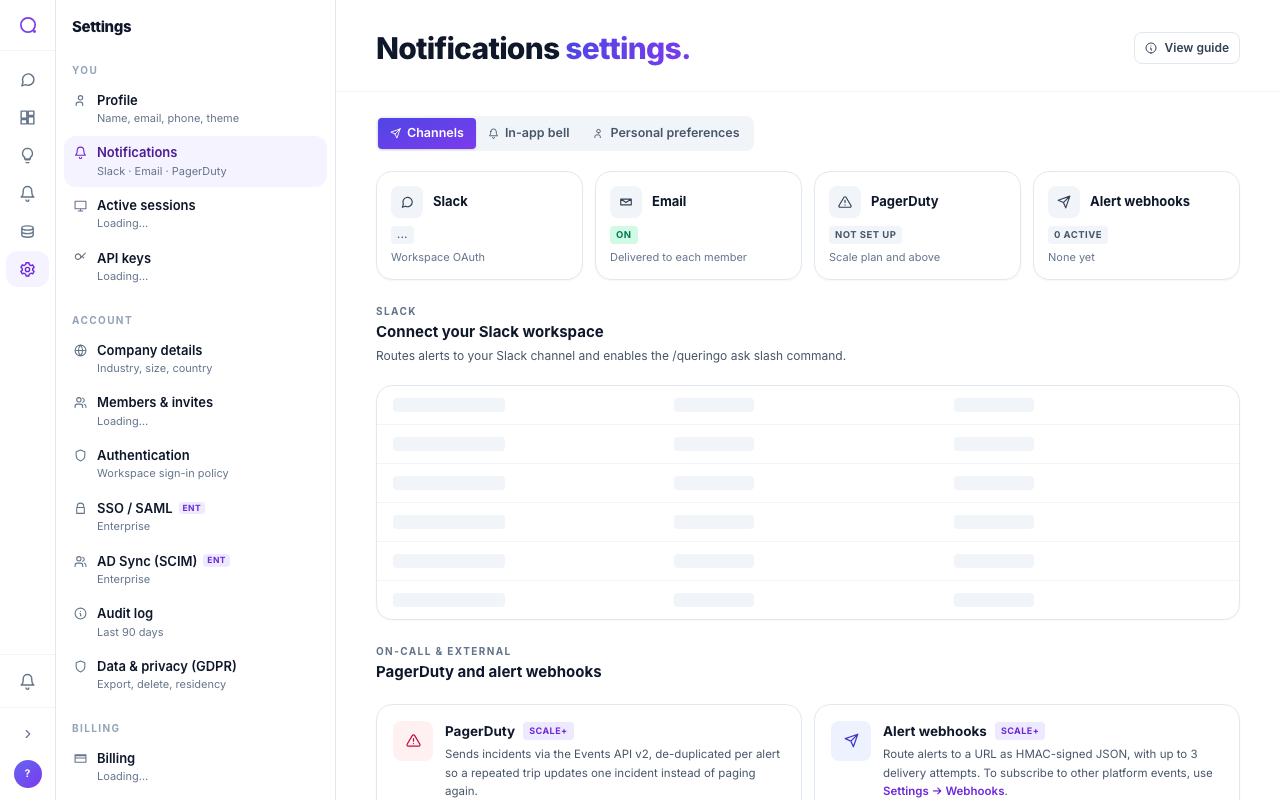
Available channels
| Channel | Notes |
|---|---|
| Slack | Connect your Slack workspace and route to channels. |
| Sends to your workspace email destination, with optional digests. | |
| PagerDuty | For paging on critical alerts. Scale plan and above. |
| Webhook | HMAC-signed JSON to your endpoint for custom routing. Scale plan and above. |
Setting up
- Open Settings, Notifications
Connect channels under Notifications settings.
- Connect Slack or add a destination
Authorize Slack, set the workspace email destination, or add a PagerDuty or webhook endpoint.
- Route events
Choose which events (alerts, insights, shares) go to which channel, per your personal preferences.
If alerts are configured but no workspace email destination is set, Queringo shows a banner. Set a destination so email alerts can deliver.
What's next
Review everything in one place with Notifications.