AI preferences
Set the default reasoning tier, temperature, result retention, and insight kinds.
AI preferences control how Queringo reasons and what it surfaces, at the workspace level.
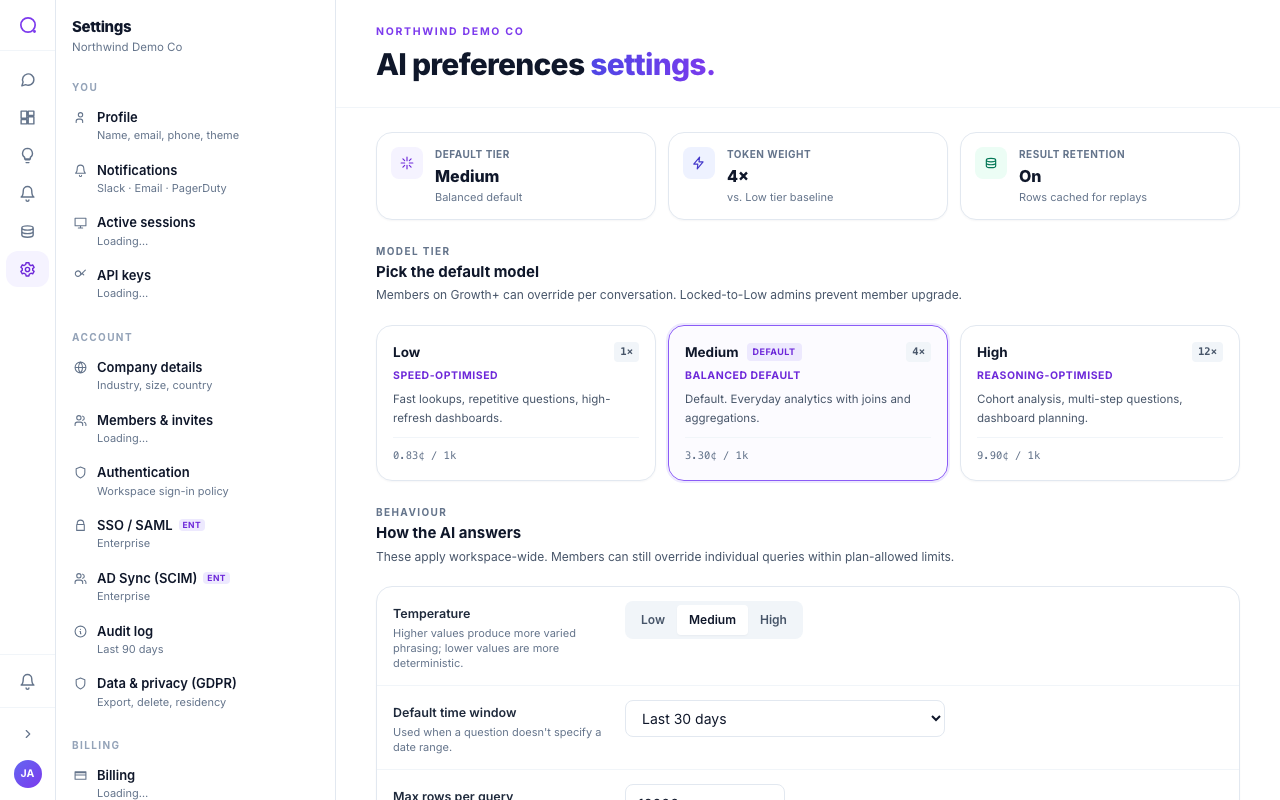
What you can set
- Default model tier
Choose the default reasoning tier. Higher tiers reason more deeply and cost more per question.
- Temperature
Set how exploratory answers are, from more focused to more varied.
- Result retention
Choose whether result rows are cached for fast replays or re-run each time.
- Insight kinds
Toggle which kinds of insights Queringo surfaces: trends, anomalies, opportunities, and alerts.
- Use learned preferences
Turn on or off the influence of learned preferences.
Tiers
| Tier | Profile |
|---|---|
| Low | Speed-optimised |
| Medium | Balanced default |
| High | Reasoning-optimised |
Members on higher plans can override the tier per conversation; admins can lock the workspace to the lowest tier to control cost. Tier weighting affects usage; see Weighted tokens.
What's next
Send events to your systems with Webhooks.