Databases
Connect Postgres, MySQL, SQL Server, and MongoDB.
Operational databases connect with standard credentials: a host, port, database name, and a read-only user. This guide covers the supported databases and their specifics.
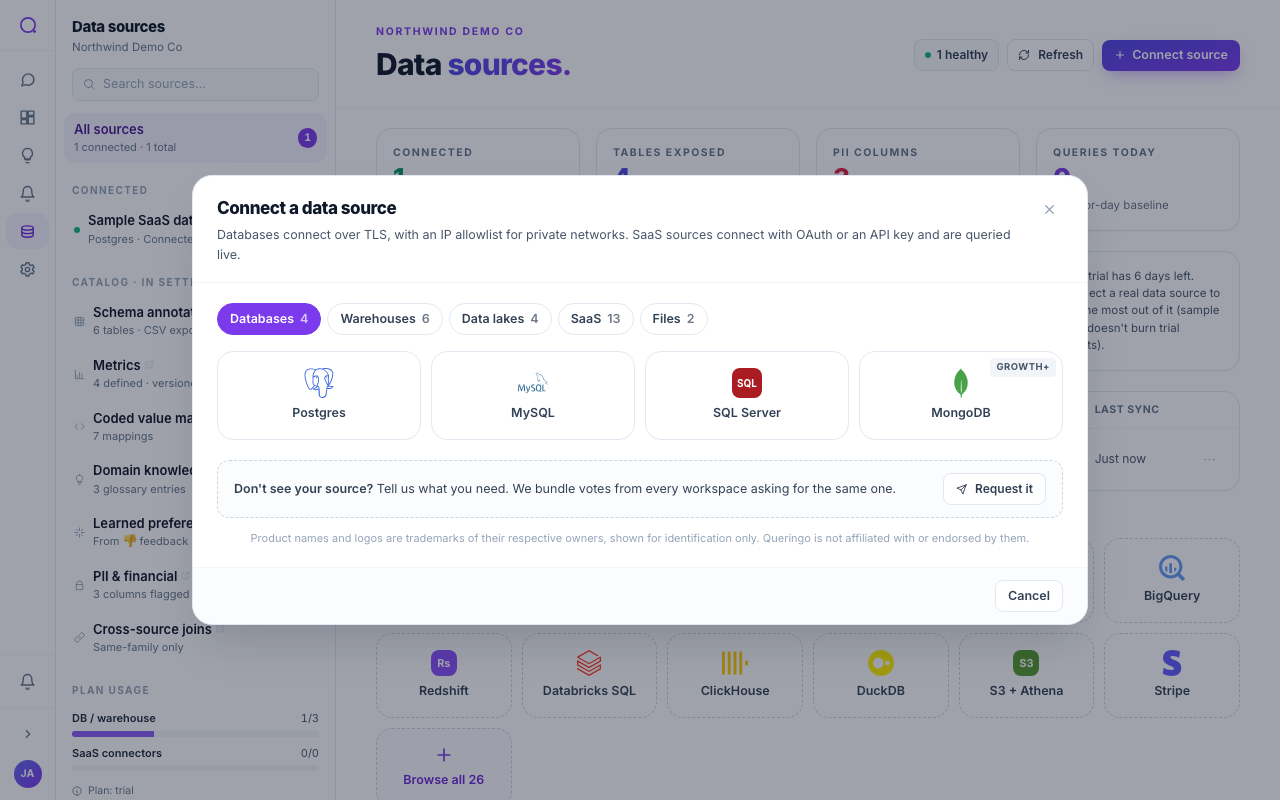
Supported databases
| Database | Auth | Default port | Plan |
|---|---|---|---|
| Postgres | Credentials | 5432 | Starter |
| MySQL | Credentials | 3306 | Starter |
| SQL Server | Credentials | 1433 | Starter |
| MongoDB | Credentials | 27017 | Growth |
Steps
- Pick your database
From Connect source, choose Postgres, MySQL, SQL Server, or MongoDB.
- Enter connection details
Provide host, port, database name, and a read-only user and password. The default port pre-fills based on the connector.
- Enable SSL if required
Turn on SSL/TLS if your database requires encrypted connections. For a private network, configure an SSH tunnel.
- Test and discover
Test the connection, then let Queringo discover the schema.
Redshift connects like Postgres (it shares the Postgres connection family) but is listed under Warehouses.
Cross-source queries
Sources in the same connection family can be combined in a single Ask Data question. Postgres and Redshift share a family, for example. Sources in different families are queried separately.
Troubleshooting
- Connection refused or timeout: check host and port, and whether Queringo's network can reach the database (you may need an SSH tunnel).
- Authentication failed: verify the user and password and that the role may connect from Queringo's address.
- No tables discovered: confirm the role has read access to at least one schema.
What's next
See Warehouses for analytical stores, or Managing sources for upkeep.