Ask Data
Ask questions in plain language and get charts, SQL, and answers across your sources.
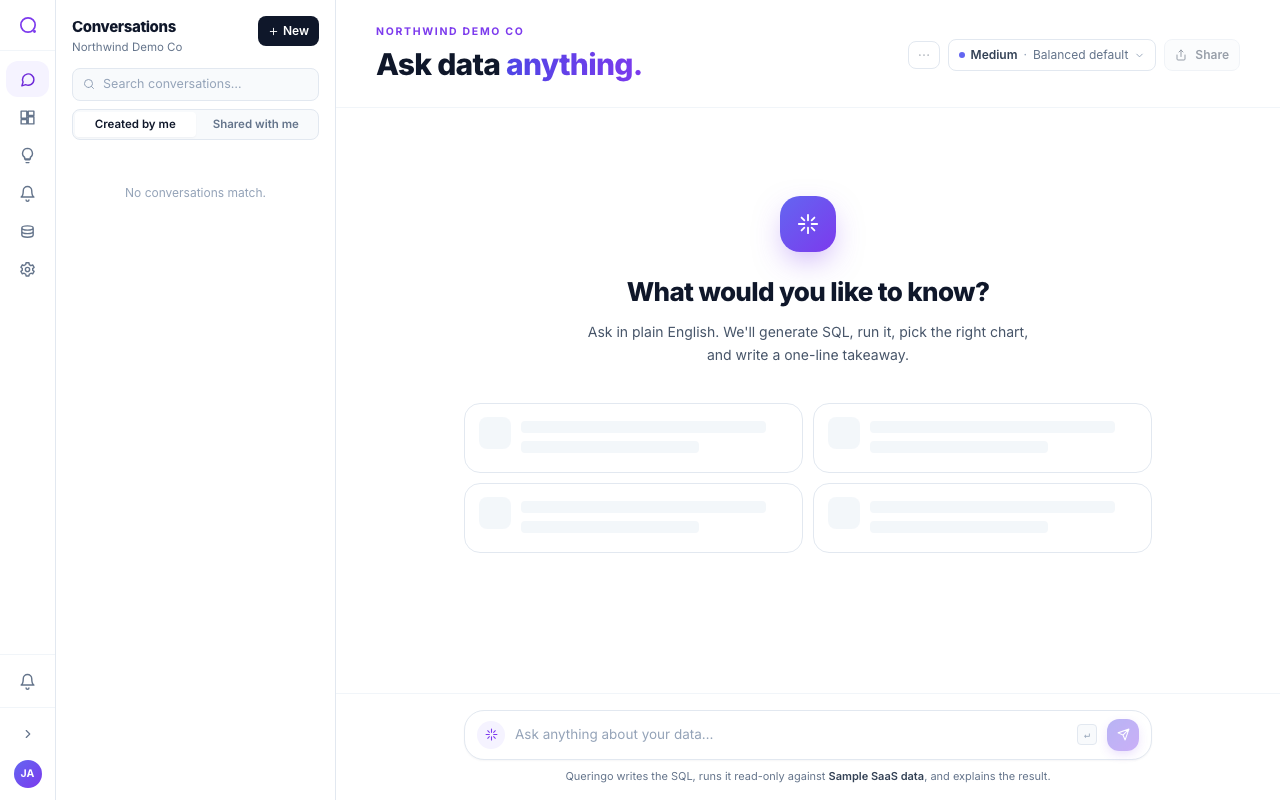
Ask Data is the heart of Queringo. You ask a question in plain language and Queringo plans it, writes SQL, runs it against your data, and returns a chart with a short explanation. Conversations are multi-turn, so you can refine and follow up.
Steps
- Choose your sources
Pick which connected sources to query. Status indicators show whether each is connected, stale, or in error.
- Ask a question
Type a question, or start from a suggestion. Queringo shows each stage: understanding intent, choosing tables, writing SQL, running, and rendering.
- Refine with follow-ups
Ask a follow-up like "break that down by month" and Queringo keeps the context of the previous turns.
- Inspect the answer
Open the generated SQL to see exactly how the answer was produced, and adjust your question if needed.
Clarifications and cross-source queries
- Clarifications: when a question is ambiguous, Queringo asks a short clarifying question rather than guessing.
- Cross-source: sources in the same connection family can be combined in one question. Sources in different families are queried separately. Define relationships in Cross-source joins.
Example questions
You ask in plain language; here are common shapes that work well:
- Totals and trends: "What was revenue last month?", "Show daily orders this quarter."
- Rankings: "Top products by revenue", "Best customers by spend."
- Status breakdowns: "How many refunds this month?", "Orders by status."
- Geography: for e-commerce sources (Shopify, WooCommerce, BigCommerce, Magento), ask "Sales by country", "Which countries do my orders ship to?", or "Top regions by revenue." Queringo groups by the order's shipping or billing country; it uses coarse geography only (country and region), not street addresses or postal codes.
For deeper, cross-record questions on a SaaS source (joins, per-customer drill-downs, history), turn on Deep analysis.
Model tiers
Pick the reasoning tier per question:
| Tier | Best for |
|---|---|
| Low | Speed-optimised, simple lookups |
| Medium | Balanced default, most questions |
| High | Reasoning-optimised, complex analysis |
Set a workspace default in AI preferences.
What's next
Learn how to keep and share your work in Saving and sharing conversations.