Create an account
Sign up with email or a single-sign-on provider and start your trial.
Creating an account takes under a minute. You can sign up with email and a password or with a single-sign-on provider. New accounts start a free trial that does not begin until you connect real data.
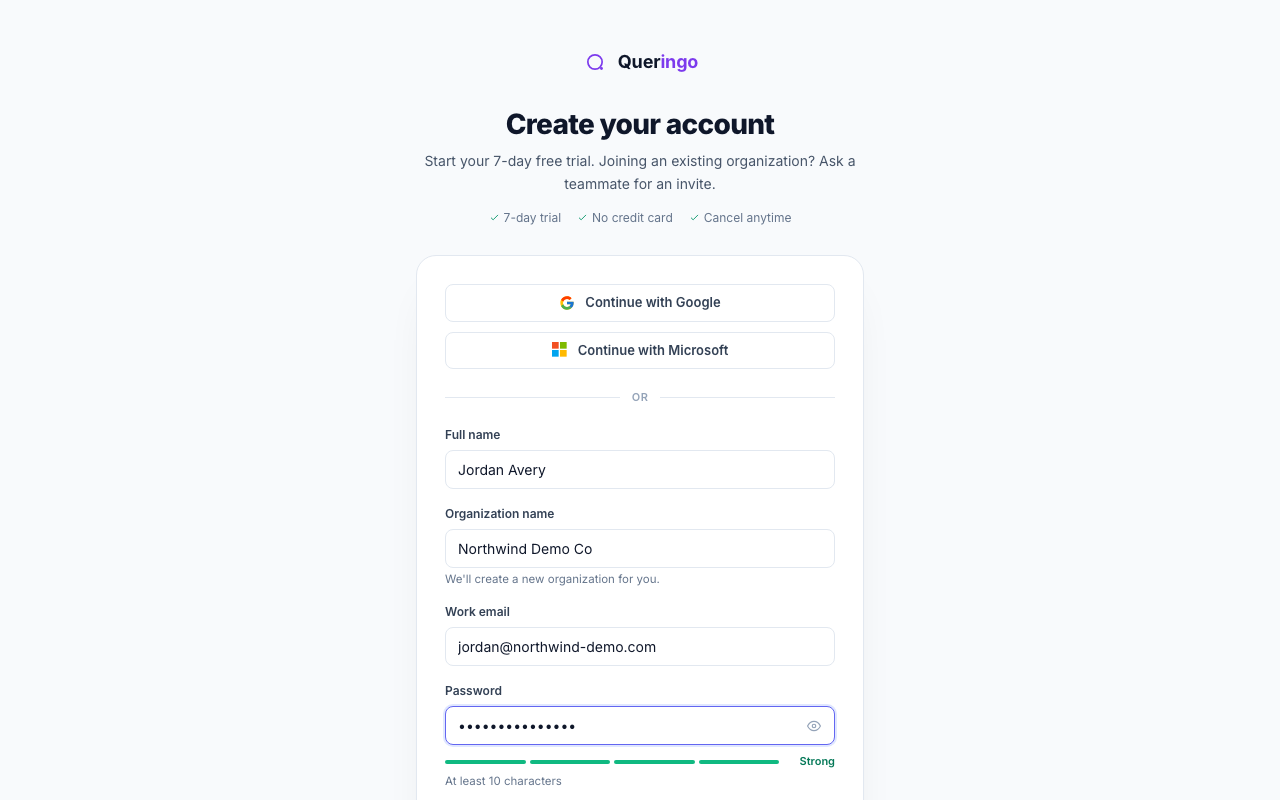
Steps
- Open the sign-up page
Go to the sign-up page from the marketing site or the "Start free" button.
- Choose how to sign up
Continue with Google or Microsoft for one-click sign-up, or fill in the email form below the divider.
- Fill in your details
Enter your full name, organization name, and a work email. Choose a password of at least 10 characters; the strength meter guides you.
- Accept the terms and create
Tick the terms and privacy checkbox, then choose Create account.
After sign-up
Queringo emails a 6-digit code to confirm your address. See Verify your email. If your organization requires two-factor authentication, you set that up next.
Joining an existing organization? Don't sign up a second time. Ask a teammate for an invite so you land in their workspace.
Troubleshooting
- "An account with that email already exists": sign in instead, or reset your password.
- "Please use a work email": disposable inboxes are not supported.
- Weak password: use at least 10 characters with a mix of cases, numbers, and symbols.
What's next
Confirm your email, then continue with the Quickstart.