Quickstart
Go from sign-up to your first answer in about 90 seconds.
Queringo turns plain-language questions into charts and answers on top of your own data. This quickstart walks you through the fastest path: create an account, connect a data source (or use the sample warehouse), and ask your first question.
Before you begin
You need a work email to create an account. To connect your own data you will also need read access to a database or one of our managed connectors, but you can complete this quickstart with the built-in sample data and add a real source later.
Steps
- Create your account
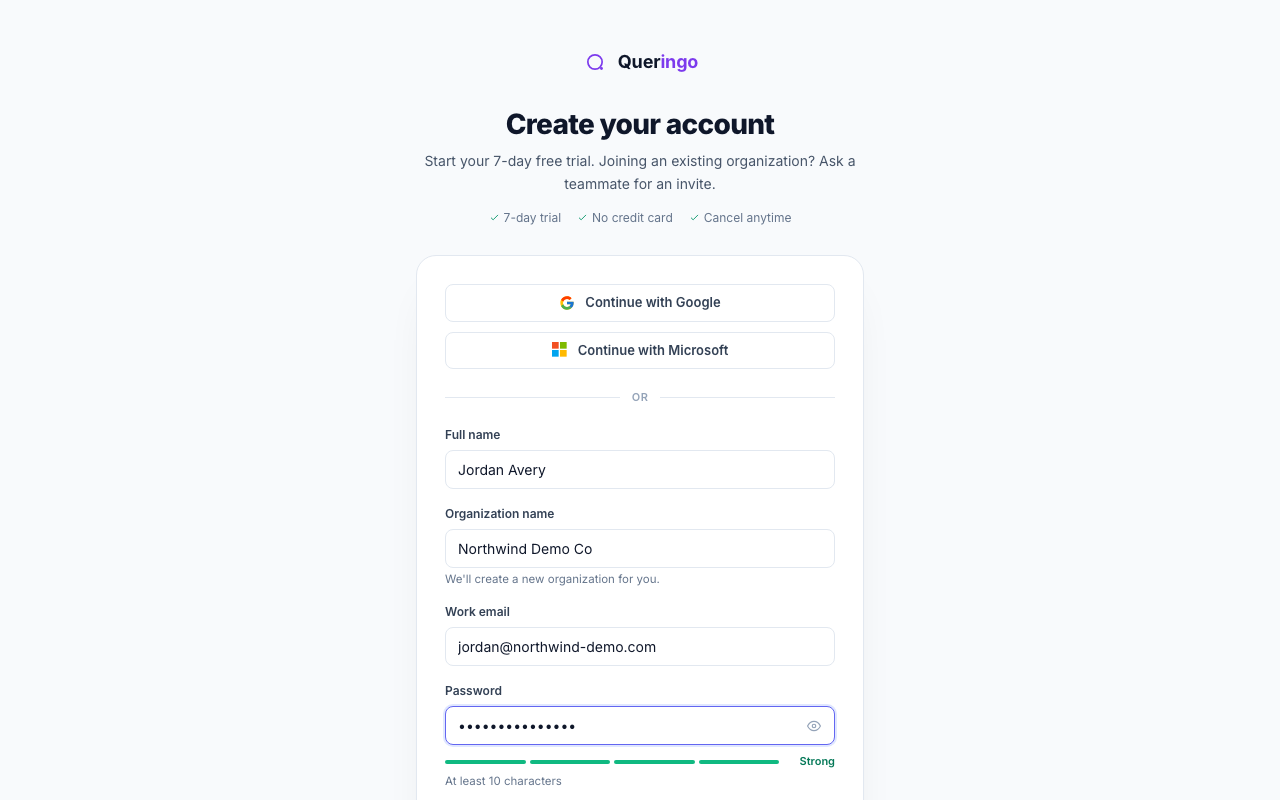
Open the sign-up page, enter your work email and a password, and confirm your name and company. Accept the terms to continue.
- Land in your new workspace
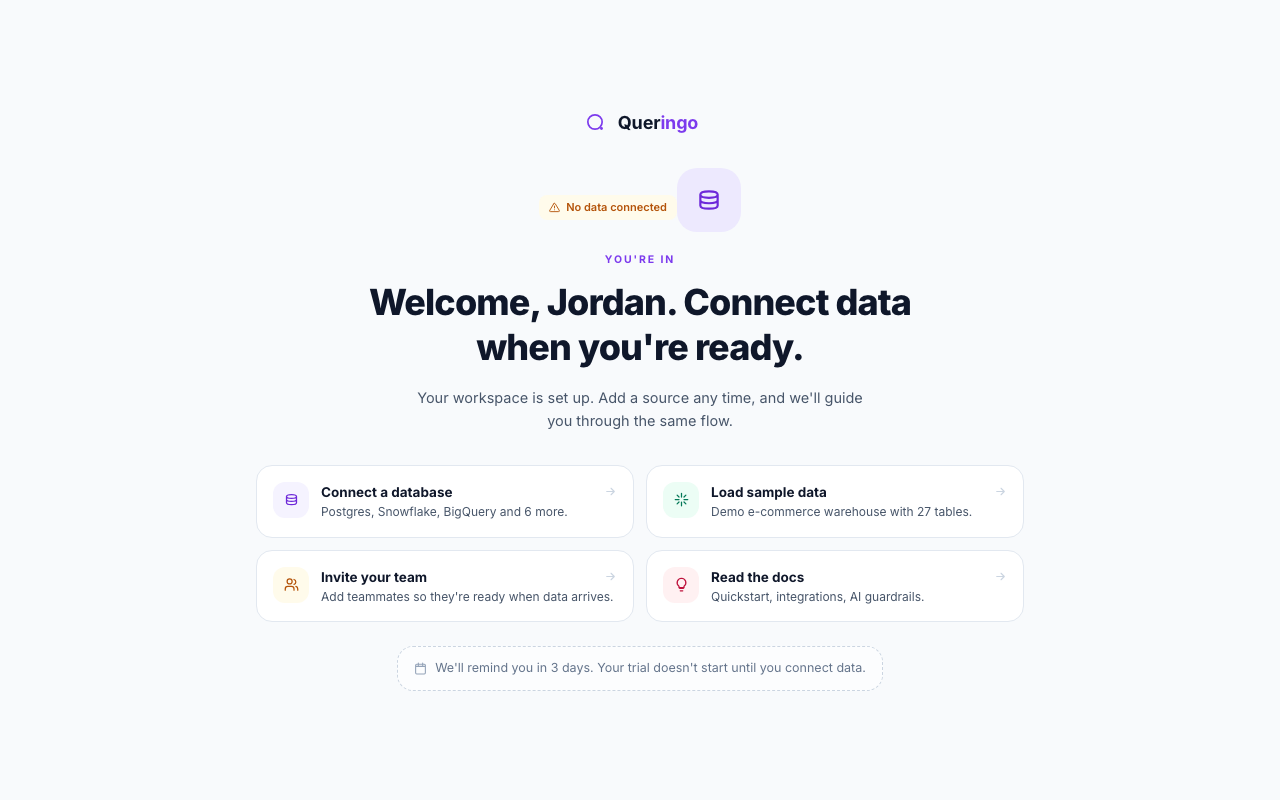
A workspace holds your data sources, dashboards, and team. When you sign up, Queringo creates one for you and you land on the welcome screen shown below. If you were invited to more than one workspace, you pick which to open first.
- Connect data or load the sample
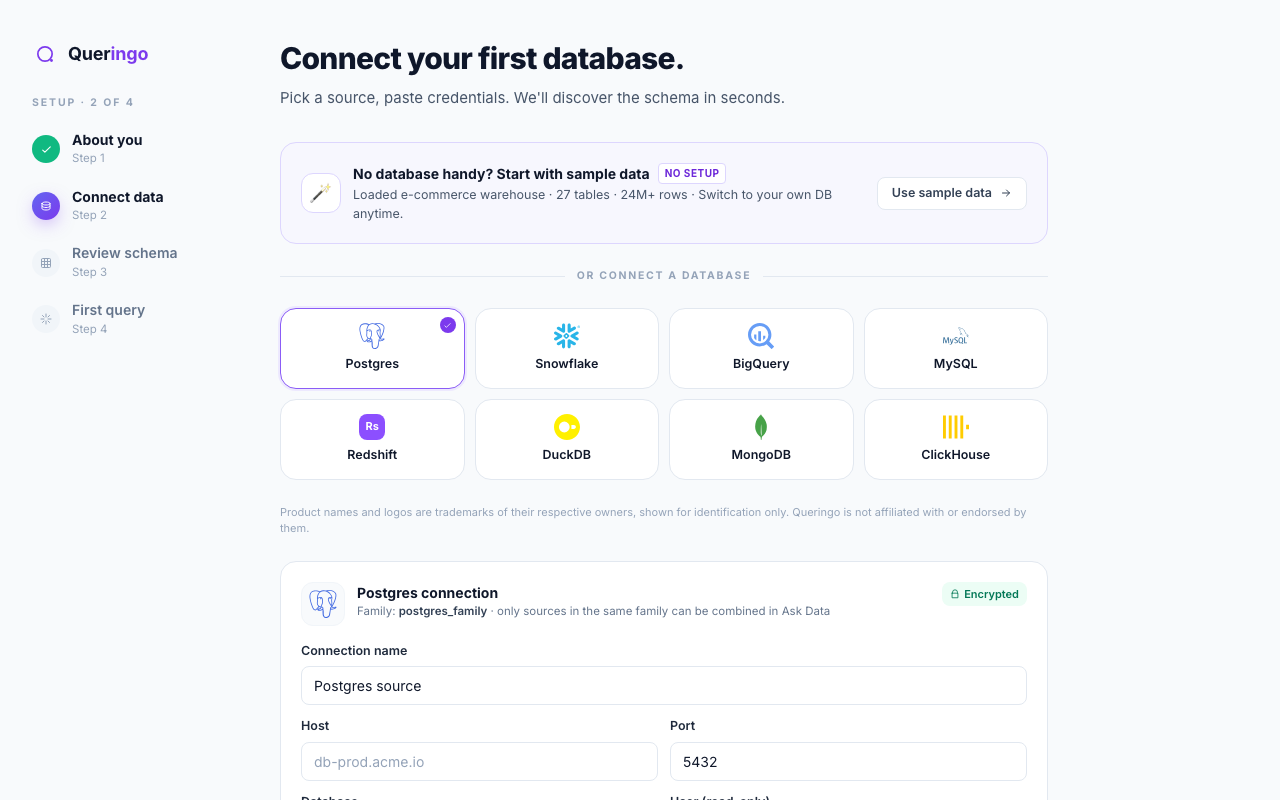
Choose a connector and enter its details, or select Use sample data to load a ready-made e-commerce warehouse. Sample data is the quickest way to see Queringo work end to end.
- Review the discovered schema
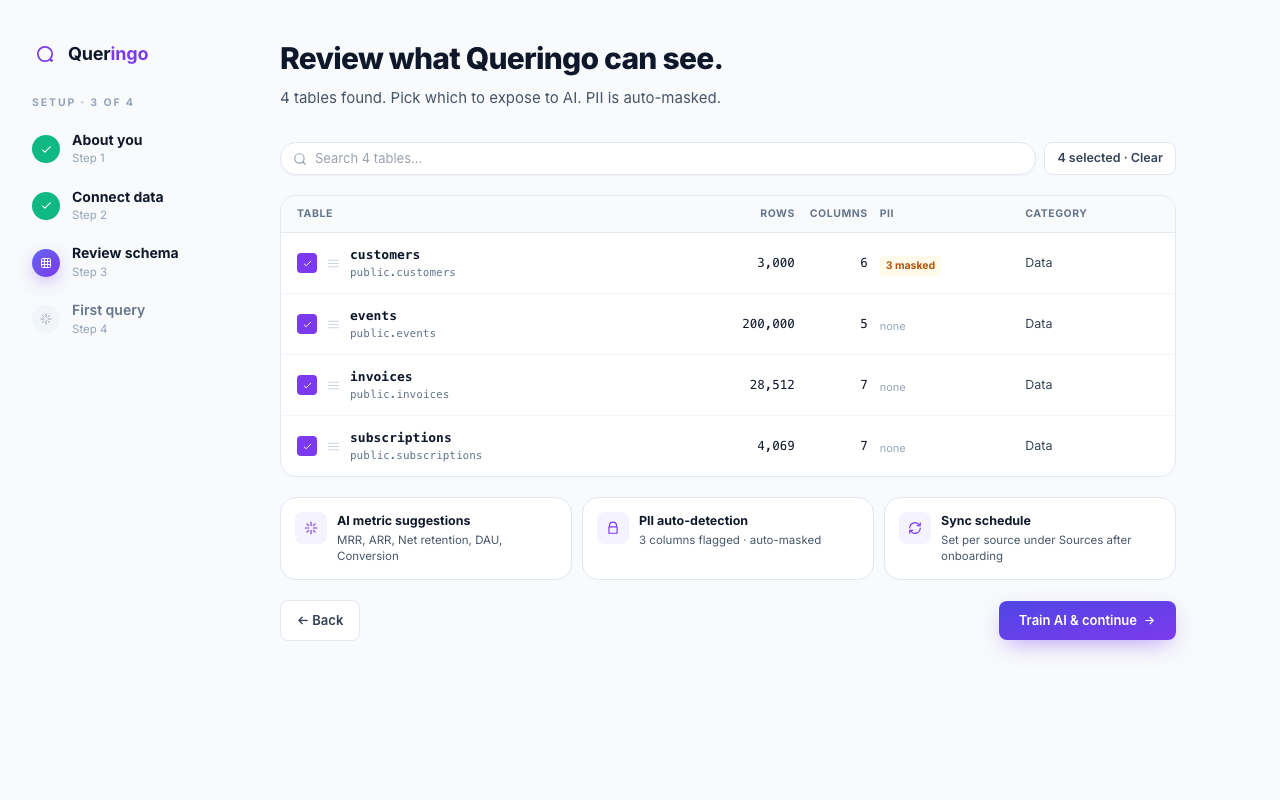
Queringo scans your tables and shows row counts, column counts, and any columns it flags as personal data. Leave masking on if you are unsure.
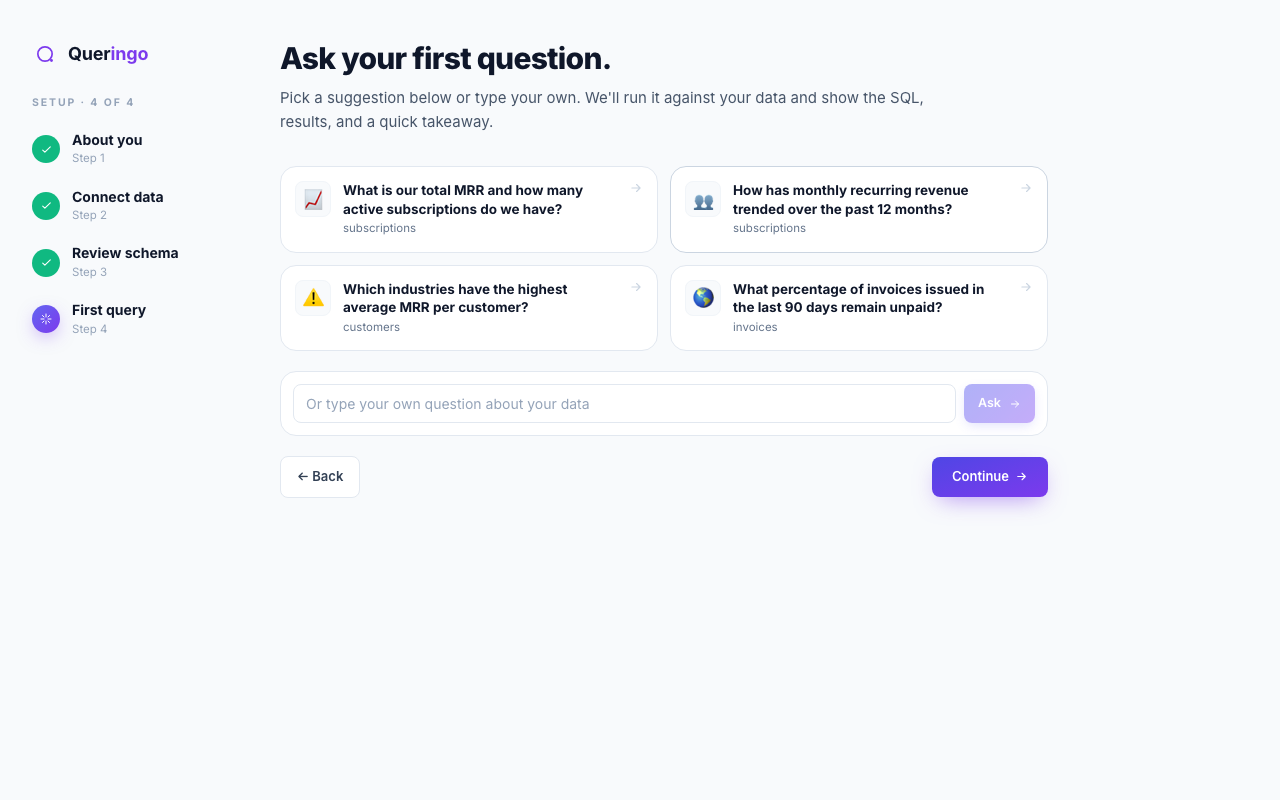
- Ask your first question
Type a question in plain language, such as "What were sales by month last year?" Queringo writes the query, runs it, and returns a chart with a short explanation. Pick a suggested question to get going fast.
Start broad, then refine. After the first answer you can ask a follow-up like "break that down by region" and Queringo keeps the context.
What's next
Once you have an answer you like, you can add it to a dashboard, share it with your team, or set up an alert. See Connect your first database to wire up a real source.
Troubleshooting
If sign-up does not complete, check that your email is a valid work address and that you accepted the terms. If schema discovery returns no tables, confirm the connected account has read access to at least one schema.