Settings
Authentication
Set workspace sign-in policy including required 2FA, session timeout, passwords, and IP allowlist.
Updated May 27, 2026
Authentication settings set the workspace's sign-in policy. These apply to all members.
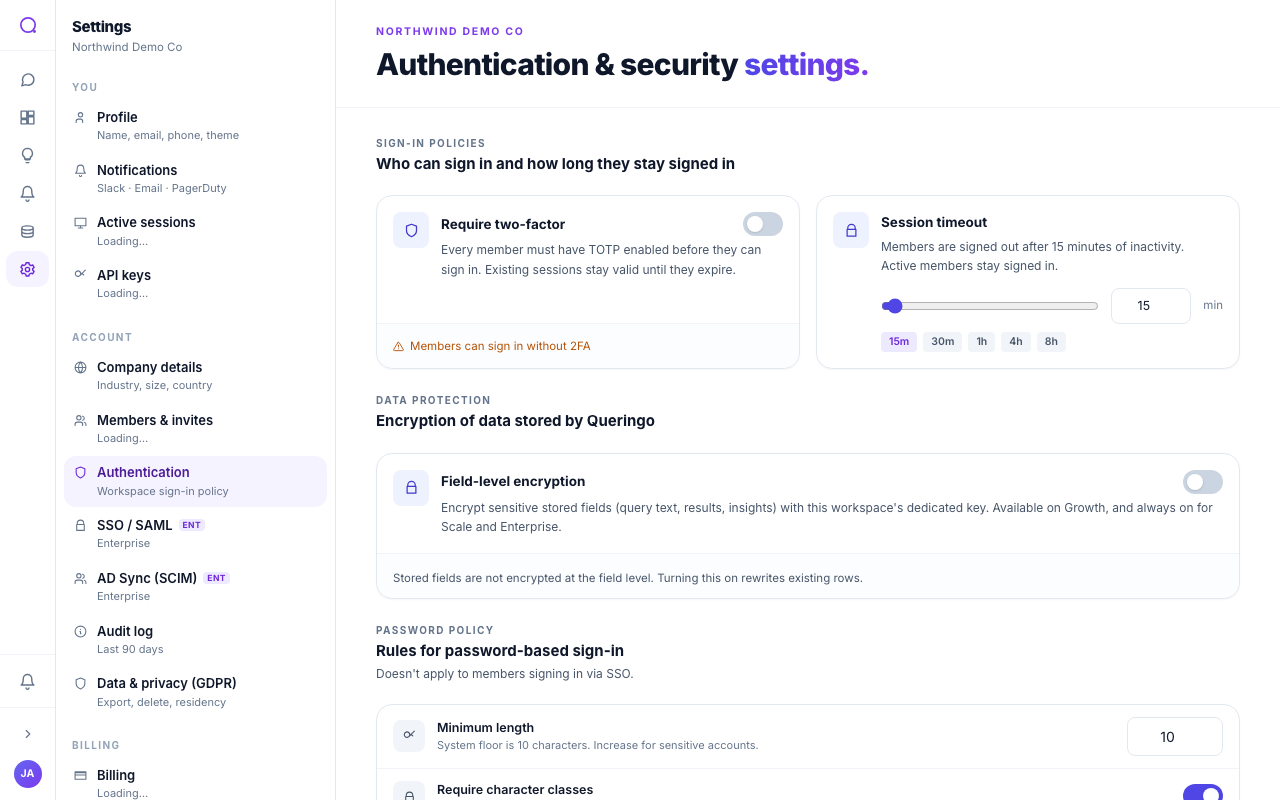
What you can set
- Require two-factor
Require MFA for everyone. You must have two-factor enrolled yourself before turning this on.
- Session timeout
Set how long before an idle session signs out.
- Password policy
Set minimum length, complexity, breach checking, reuse blocking, and expiry.
- IP allowlist
Restrict access to specific IP ranges (enterprise).
- Field encryption
Enable application-layer field encryption. Once enabled it cannot be turned off.
A Force sign-out action revokes every active session in the workspace. Use it if you suspect a credential was compromised.
What's next
See MFA and review devices in Active sessions.