AI Insights
Queringo scans your data and surfaces trends, anomalies, opportunities, and alerts.
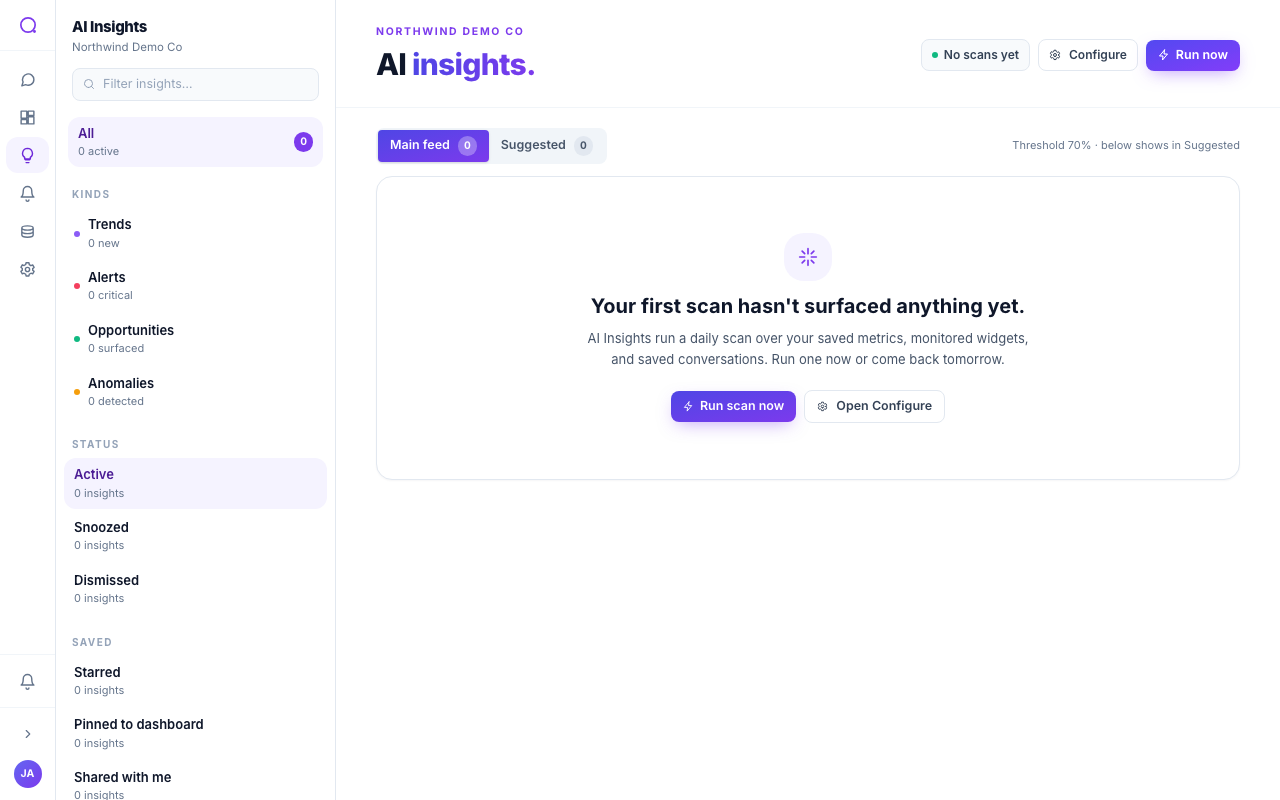
Insights are findings Queringo surfaces by scanning the metrics, widgets, and conversations you choose to monitor. Each insight has a kind, a confidence score, and actions to dig in or act.
How scanning works
- Queringo scans the sources you put under monitoring and proposes insights.
- A confidence threshold splits the main feed (at or above your threshold) from a suggested feed (below it). You set the threshold.
- Insights are personalized: cards tailored to you carry a "Tailored to you" badge, shaped by your focus areas and feedback.
Insight kinds
| Kind | What it flags |
|---|---|
| Trend | A sustained move over time |
| Anomaly | An unexpected spike or drop |
| Opportunity | A favorable pattern worth acting on |
| Alert | A threshold-style condition worth attention |
Which kinds appear depends on your plan and your AI preferences.
Acting on an insight
- View the source
Preview the metric, widget, or conversation the insight came from.
- Investigate
Open a streaming investigation with contributing factors and follow-up questions. See Insight investigations.
- Create an alert
Turn a recurring condition into an alert.
- Add to dashboard, share, snooze, or dismiss
Pin it to a dashboard, share it, snooze it (1, 7, or 14 days), or dismiss it (hidden for 14 days).
Running a scan
Use Run scan now to scan immediately, or open Configure to set the confidence threshold and choose which metrics, widgets, and conversations are monitored.
What's next
Dig deeper with Insight investigations.