Active sessions
Review where you're signed in, spot unusual activity, and sign out devices you don't recognize.
Active sessions shows every device where you are currently signed in, grouped by device, so you can spot anything unusual and sign out devices you do not recognize.
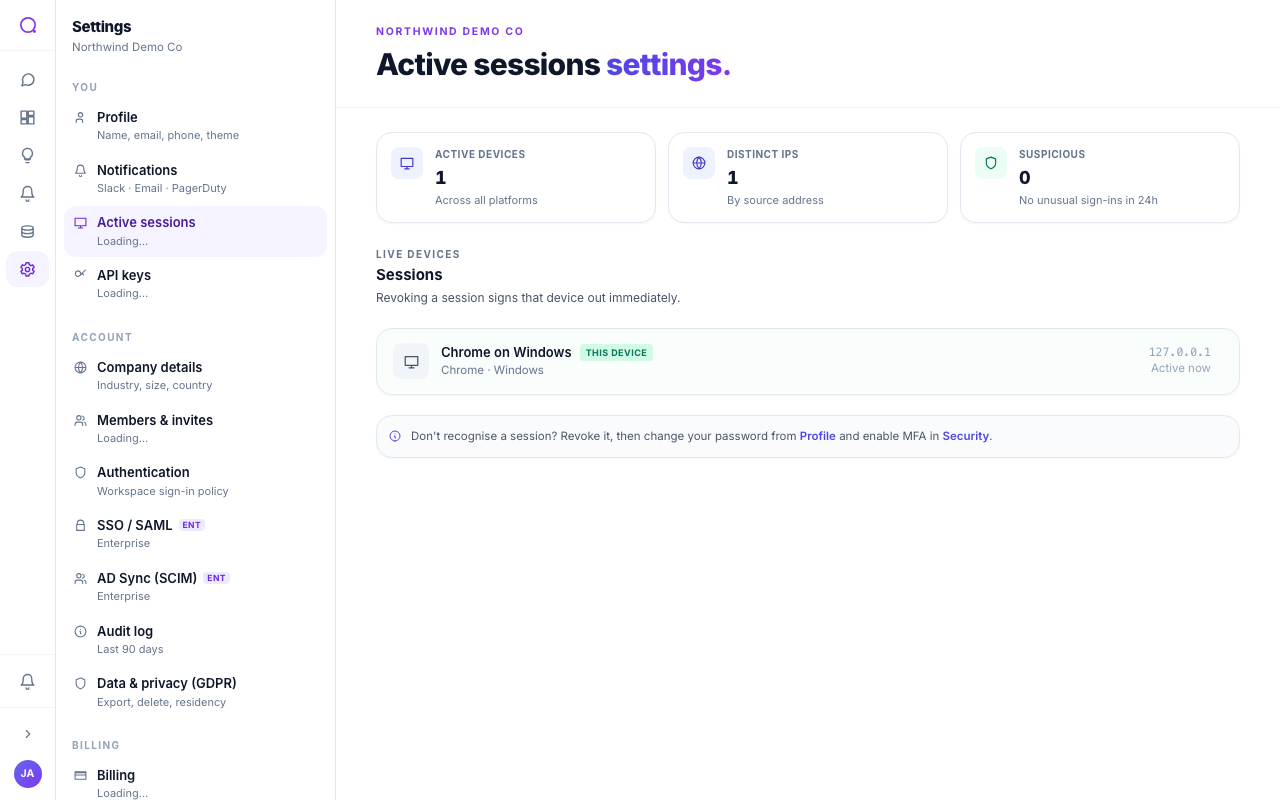
At a glance
Three counters summarize your sign-in activity:
- Active devices: how many devices are currently signed in. Repeated sign-ins from the same browser are grouped into one device, so this reflects real devices, not every login.
- Distinct IPs: how many different source addresses those devices connect from.
- Suspicious: recent sign-ins from a network you had not used before, over the last 24 hours. Zero means nothing looked unusual.
When the count is non-zero, a banner appears under the title spelling out how many devices were flagged, so you cannot miss it. The flagged rows themselves also carry a small "New sign-in" tag.
Email when a new device signs in
Queringo emails you whenever a sign-in lands on your account from a network it has not seen before. The email names the IP and device, and links straight back here so you can sign that device out if it was not you. We dedupe within a short window so a redirect-retry or tab-close-and-reopen does not double-notify.
What you can do
- Review your devices
Each row shows the device, browser, operating system, source address, and last-active time. Your current device is labelled "This device".

- Sign a device out
Select "Sign out" on any device that is not your current one. We ask you to confirm, then end every session for that device. If a device has multiple sign-ins (re-logins on the same browser), all of them end together. You cannot sign out the device you are using now.

- Sign out other devices
Use "Sign out other devices" to keep only your current device and end everything else in one step.
Signing a device out takes effect on its very next action, not only when its sign-in would have expired. The device is asked to sign in again.
If your own session ends
When your session times out from inactivity, or you sign it out elsewhere, a prompt appears so you can sign back in without leaving the page. Enter your password once and you return to exactly where you were. There is also a link to the full sign-in page if you would rather switch accounts.
Troubleshooting
- A device I signed out still shows activity for a moment. Sign-out applies on that device's next request, which is usually within seconds.
- I see more devices than I expected. Each browser counts as its own device. Signing in from a second browser, or a private window, adds a separate device.
- The list looks empty. Devices drop off once they have been idle past your workspace sign-in timeout. That is expected.
Sign out anything you do not recognize, then change your password and confirm two-factor is on. On Profile you have two related actions: Sign out other devices keeps you signed in here, and Sign out everywhere ends every session including this one and returns you to the sign-in page. A workspace admin can additionally force sign-out for everyone from Authentication.
What's next
For company-wide login, see SSO / SAML.