Magento
Connect Magento to Queringo. Setup, fields, testing, editing, and alternatives.
E-commerce store data.
At a glance
| Category | SaaS |
| Auth | Token |
| Plan | Scale and above |
Setup
- Open Connect source
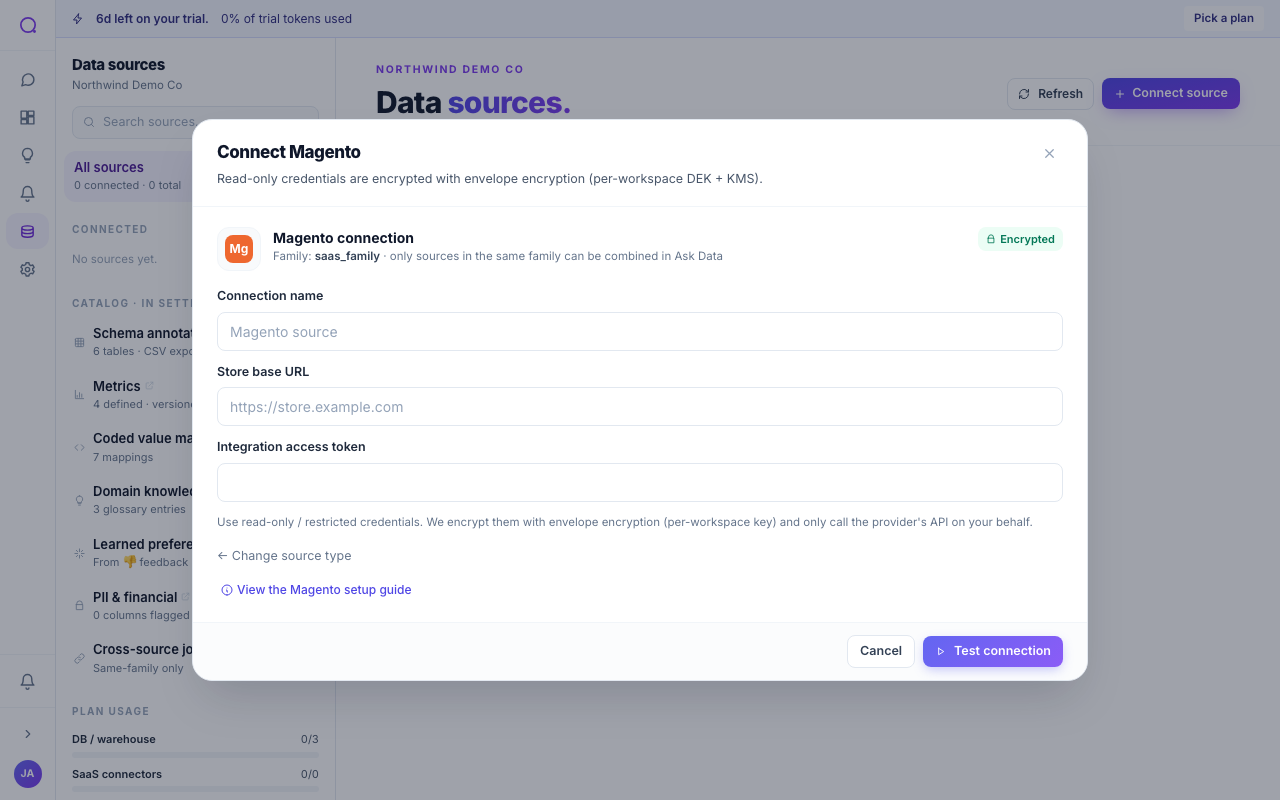
In the app, go to Data sources and choose Connect source. Open the SaaS tab and select Magento.
- Paste your credentials
In the Magento connection form, paste:
- Store base URL: Your storefront URL, e.g. https://store.example.com.
- Integration access token: Access token from a Magento Integration.
- Save the connection
Queringo tests the connection before saving, then discovers the schema. PII is flagged and masked by default during discovery.
Fields
| Field | What to paste |
|---|---|
| Store base URL | Your storefront URL, e.g. https://store.example.com. |
| Integration access token | Access token from a Magento Integration. |
Where to find these in your provider
- In Magento (Adobe Commerce) admin, open System → Extensions → Integrations.
- Choose Add New Integration and name it
Queringo. - On the API tab, grant read access to the resources you want exposed (Sales, Catalog, Customers).
- Save, activate the integration, and copy the Access Token that's revealed.
- Your Store base URL is the storefront origin Magento serves under.
Test the connection
Queringo runs a connection test as part of saving. If it fails, the error message indicates what to check (credentials, network reachability, or scope). From Data sources, you can re-run Test connection on the source row any time, for example after rotating a secret or changing network rules.
Edit or rotate
To change connection details (host, port, or database), open the source from Data sources and edit it. To swap only the secret (password, key file, or token), use Rotate credentials so existing dashboards and alerts keep working. See Rotating credentials.
Reference
Suggest a different connector
Don't see what you need? In the Connect a data source picker, choose Request it. Queringo bundles votes from every workspace asking for the same one and prioritizes accordingly.
Related connectors
What's next
For the category overview and shared options, see SaaS. To keep sources healthy, see Managing sources.